Crisp
We had 2 weeks to do the project, and we had free will to come up with any sort of solution that we wanted.
All the students had to come up with a problem they faced in their daily lives and then after that swap the written problems with each other and come up with a solution for the problem they got.

The main goal of the project was to teach us how to work with a client and how to assess the problem and recognize design opportunities.
This was a quick project I did for my Industrial design studio class.
Problem
The problem I was assigned to was how to keep track of fruits and vegetables so that it doesn't expire. The client I got went into detail describing why this was a big problem for him and his roommates, he said that they have a hard time keeping track of and eating their fruit and vegetables because they always forget they have them.
Intended audience
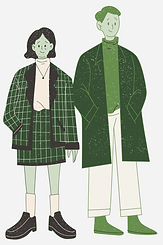
The intended audience for this app was very broad, since I believe all kinds of people can benefit from having the app and keeping track of their produces. But I did make a quick surface-level User Persona.
-
Age: 18-40
-
Have a busy life (Students / Full-time workers)
-
Eats a lot of Fruits and Vegetables
-
Someone that uses apps on the daily
-
Anyone that's forgets stuff easily
-
People who dislike wasting food
The Market
-
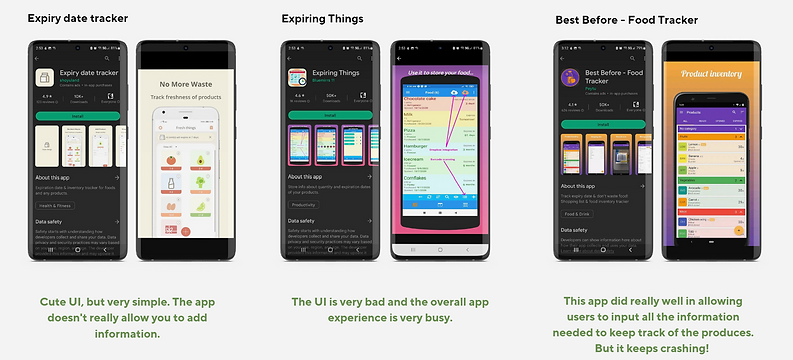
There are similar apps out there, but most of the apps are crowded with too much information and have bad user experience.
-
Their UI is also pretty outdated and confusing.
-
There are ads everywhere.
-
And most importantly their data is very inconsistent.
Brainstorming
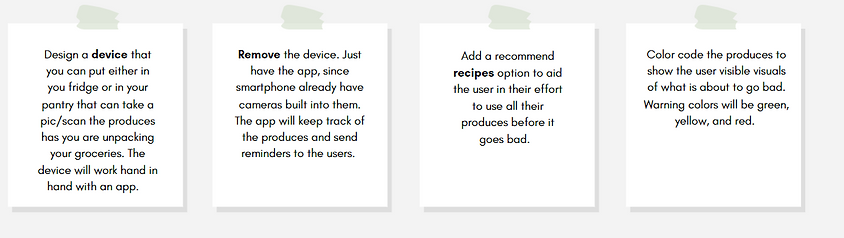
After I got the initial walk-through of the problem, I started brainstorming different ways to solve the problem.
Final outcome

Sign in flow
Input flow

When designing the Input flow, I wanted the flow to be very easily understandable and I wanted the users to have all the choices available to them in order for them to get a proper eat-by date.
The input screens have the date, the freshness level, the quantity, and the location of where the produces would be stored.
Manual Flow

The manual flow was a slight afterthought. For the project, we had to present our mid-way progress to the class and get feedbacks. The main feedback I got from the class was about adding a manual flow in case the scanning feature fails. I was very grateful for that feedback because while designing the app I was so inside my head that I didn't even think about the manual flow, but with the feedback, I was able to better my design and the user experience of the app.
Main Screen

These are the main screens for the Crisp app. The screens are very colorful and bright because fruit and vegetables are also very colorful and bright, they are full of vitamins and nutrition and I want the visuals of the app to represent that.
I also choose to design two viewing options for the main screens, the card option and the list option. The card option is for users who likes visual displays and the list option is for users who likes everything to be listed out.
Notification
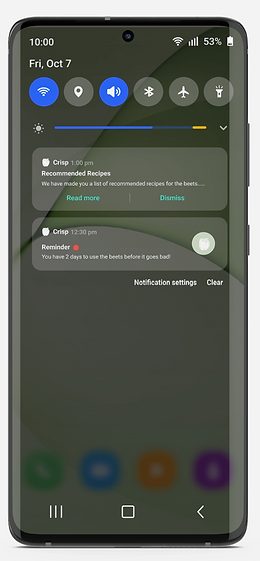

The main goal of the Crisp app is to remind the users of the fruit and vegetables they have yet not used. The Remind notification is color-coded by a green, yellow, or red dot to give the user a visual and a written countdown.
Along with the countdown notification, there is also a recommended recipes notification to aid the user in finding ways to use their produces.